
Project Information
- Category: Office Add-in · Outlook
- Client: Internal Product — Point5Nyble
- Platform: Microsoft Outlook (Windows & Mac)
- Project date: 2022
Key Features
- Email Templates — reusable branded templates
- Smart Scheduling — one-click meeting setup
- CRM Actions — log contacts & deals from inbox
- Quick Reply — pre-built response snippets
- Send Guard — pre-send checklist before delivery
About the Challenge
Sales and support teams spend a significant portion of their day writing repetitive emails, manually scheduling follow-ups, and switching between Outlook and their CRM to log interactions. Every context switch costs time and increases the chance of missed follow-ups or inconsistent messaging.
Teams needed a way to stay inside Outlook — their primary workspace — while still accessing templates, scheduling tools, and CRM capabilities without opening a separate application.
Our Solution — Mail Tangy
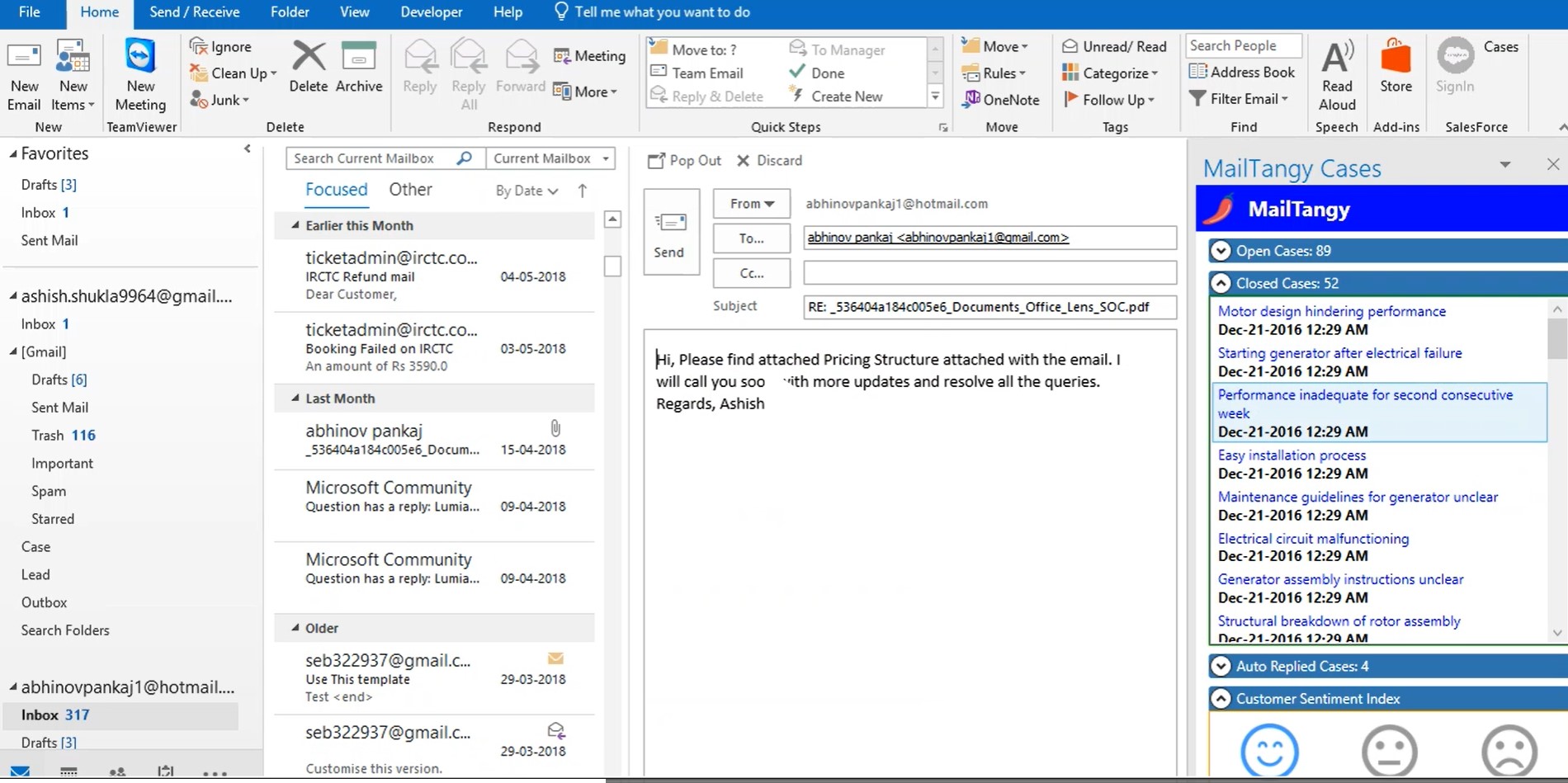
Point5Nyble built Mail Tangy as a native Microsoft Outlook add-in that lives directly in the Outlook ribbon — no switching tabs, no separate apps. Everything a sales or support rep needs is accessible right from their inbox.
Core modules delivered:
- Email Templates — create, manage, and insert branded email templates with dynamic placeholders (name, company, date) directly into any compose window
- Smart Scheduling — one-click meeting scheduling with calendar availability check, auto-generated invite links, and follow-up reminders
- CRM Actions — log emails as CRM activities, create new contacts, and update deal stages without leaving Outlook
- Quick Reply Snippets — pre-built short responses for common queries, inserted with a single click
- Send Guard — pre-send checklist that flags missing attachments, unresolved placeholders, and large recipient lists before the email goes out